Digitalization of commercial operations for mass market brands

Conception UI for B2B ⸱ Design system ⸱ Material UI ⸱ Storybook

Where

Paris

Employer

Year

2020 ⸱ 2021

Duration

19 months

Overview

As a Lead User Interface Designer at ELPEV (now Nanotera), an advertising and operational communication agency specializing in web applications for major consumer brands, I played a key role in designing and implementing an innovative solution for managing and customizing marketing materials such as catalogs, posters, and flyers. The primary objective of this project was to provide clients with an intuitive and efficient interface to manage their visual communication needs while meeting the high standards of the mass-market industry.

My role

Lead User Interface designer. My role at ELPEV went far beyond simple graphic design. I was responsible for transforming strategic concepts into usable and aesthetically pleasing interfaces. As the primary contact for design-related decisions, I acted as a bridge between creative teams, technical staff, and business stakeholders.

Responsabilites

  • User Interface (UI) Design
  • Development of CSS Animations and Motion Design
  • Creation and Implementation of a Global Design System
  • Improvement of User Experience (UX)
  • Worked alongside two other UI designers to ensure deliverable consistency and share best practices

Design system

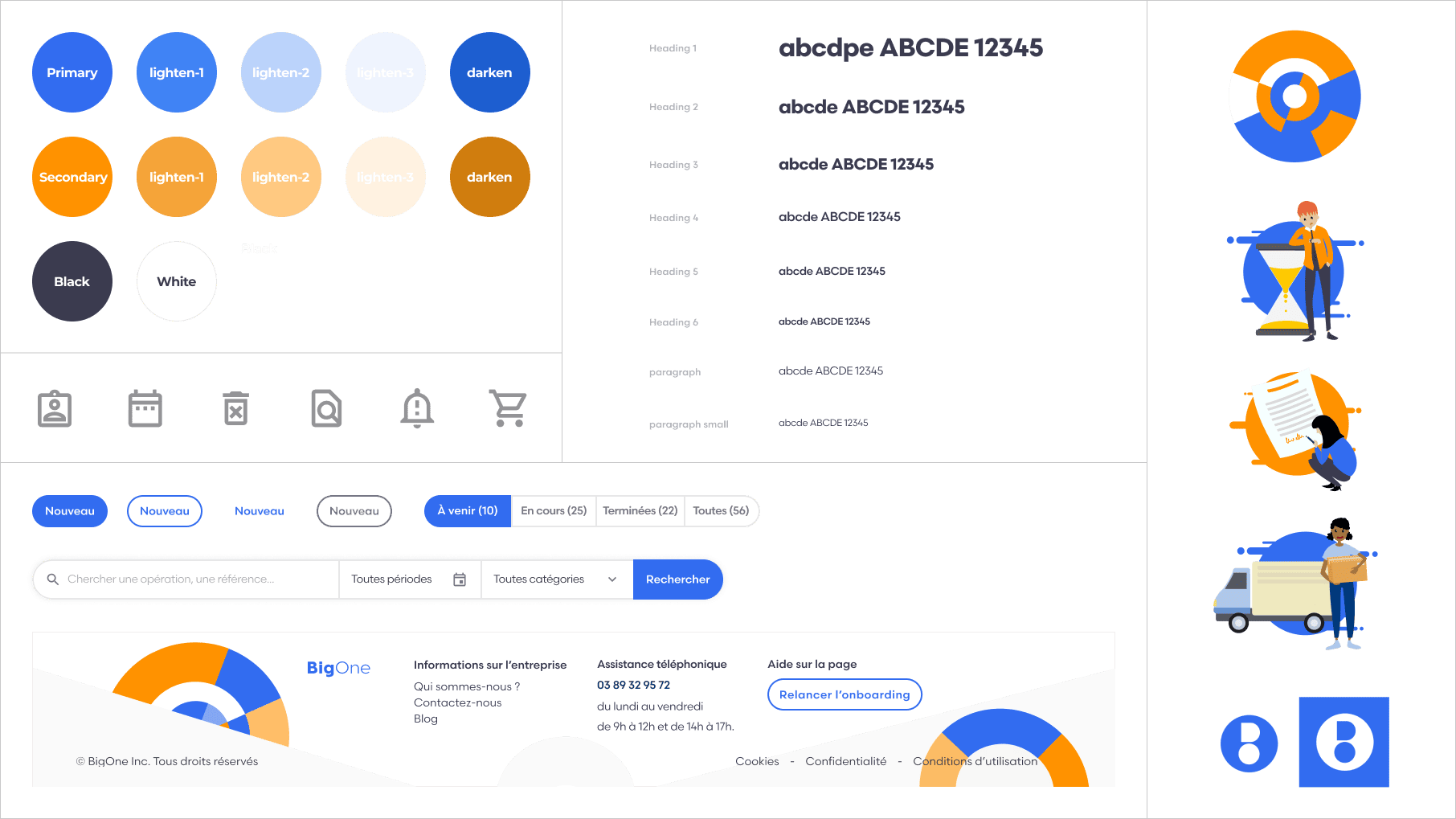
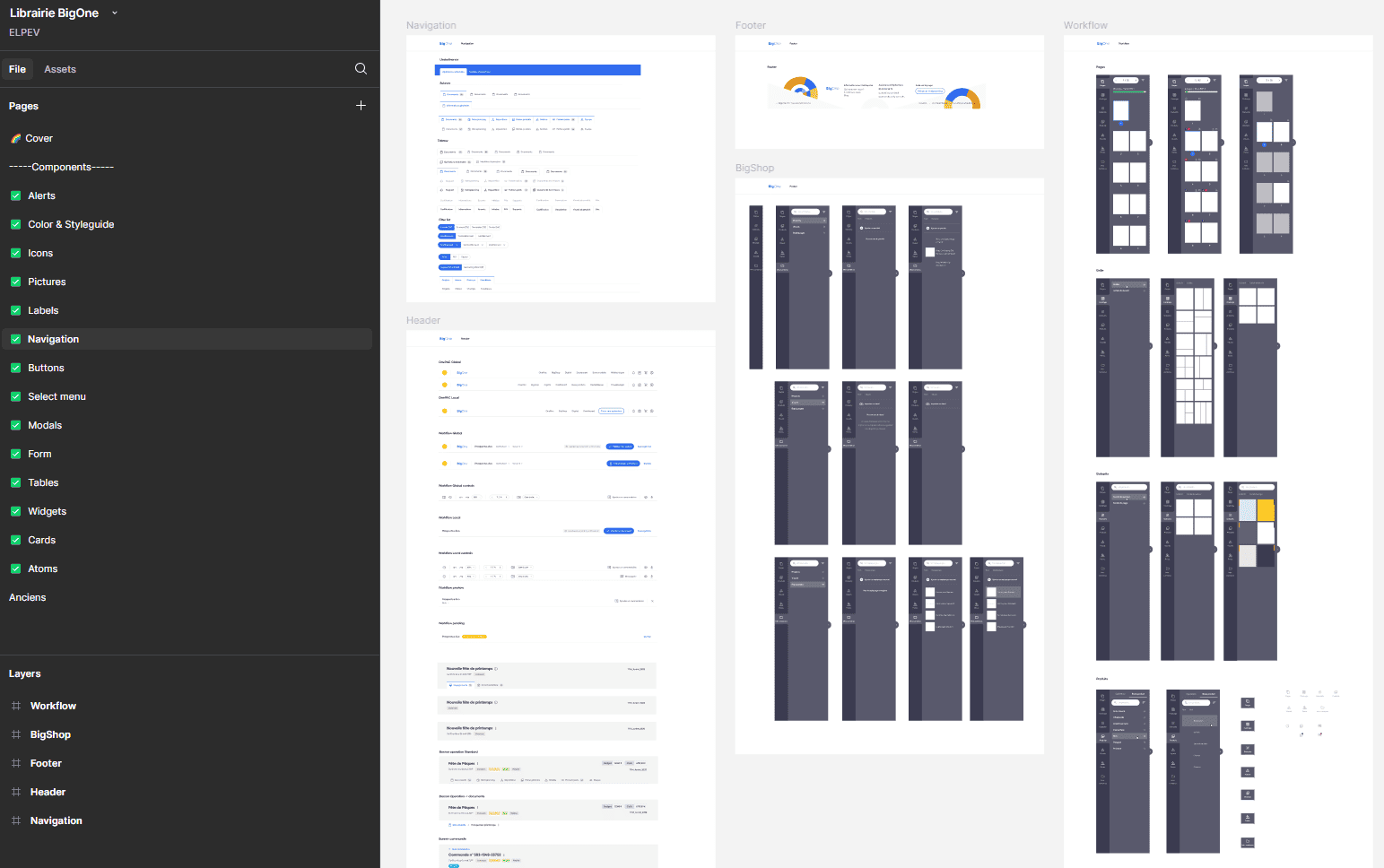
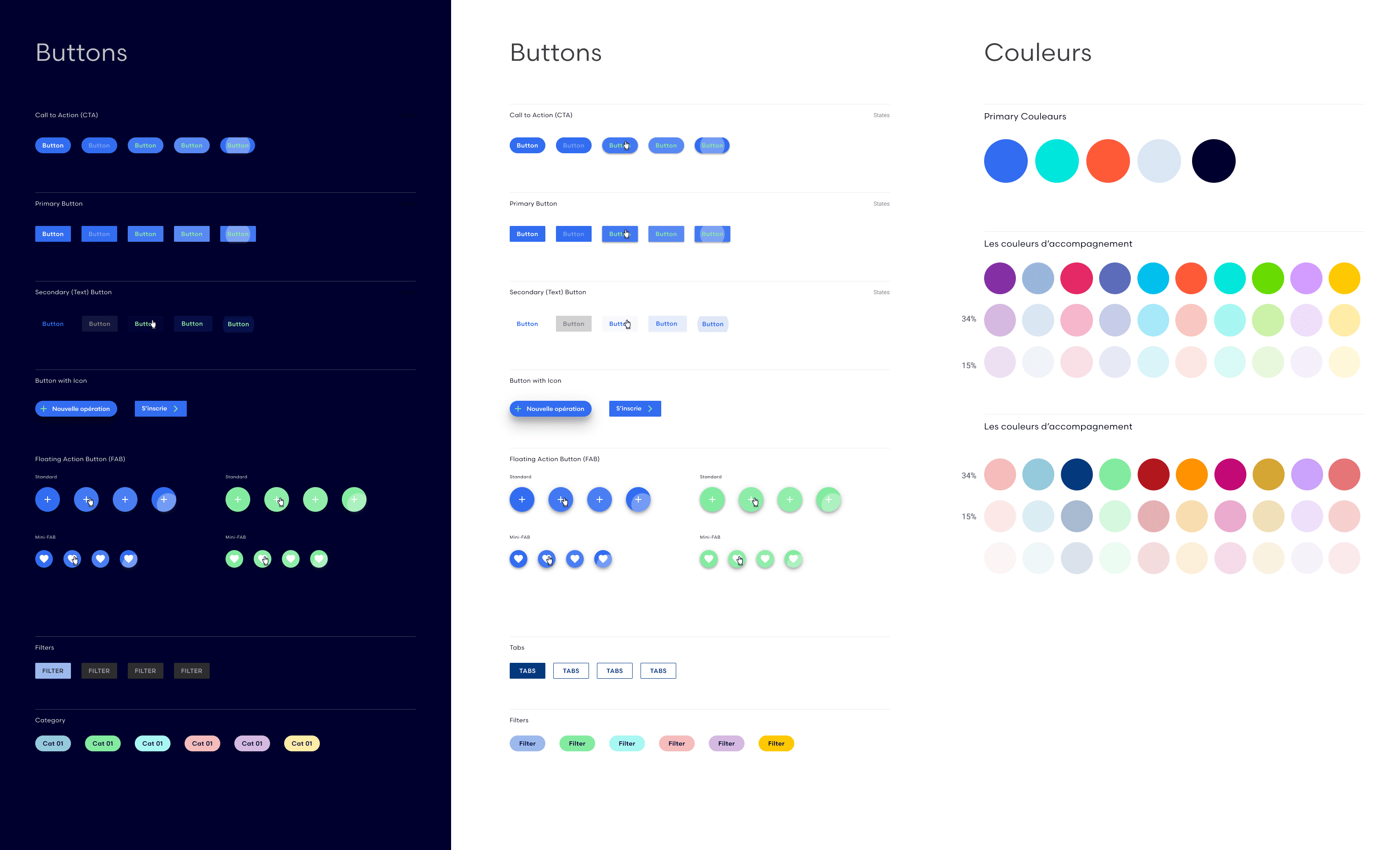
I had the opportunity to take over, recreate, and optimize the design system for the BigOne website. A design system is akin to a brand’s style guide, but instead of theoretical guidelines, it provides ready-to-use elements. Before creating a website or an application, we aim to establish reusable design components as a foundation—such as buttons, menus, icons, and input fields. With Figma and object components, everything can be reused and optimized.
With the development team, we chose to largely use material UI for components, but many needed to be adapted to our use.
I also had the opportunity to create lots of vector characters to support the user in their actions.

Small snippet of the BigOne's design system...​

Tools for Design system

Figma is a collaborative tool for design and prototyping, enabling the creation of components, mockups, and interactive prototypes that simulate a website or app’s final look.

Storybook, more developer-focused, provides a coded component library, making reusable components accessible for all projects, with support for parameters and documentation.

I also used Zeroheight, a reference tool for all stakeholders, offering comprehensive guidelines, component usage standards, and practical examples or counterexamples that clarify the design system’s applications.

Lastly, tools like Jira or Trello helped track component progress, showing responsibilities and the status of tasks, whether in design, development, or ready for delivery.

Structure of my design system and example

Design

When I joined the project, a significant amount of UX design work had already been completed beforehand. Over the course of the year, I had the opportunity to build upon and enhance it, which taught me a lot about the tools.
In this context, there weren’t many low-fidelity mockups or wireframes to create. I went straight into designing high-fidelity mockups that would be used by the developers


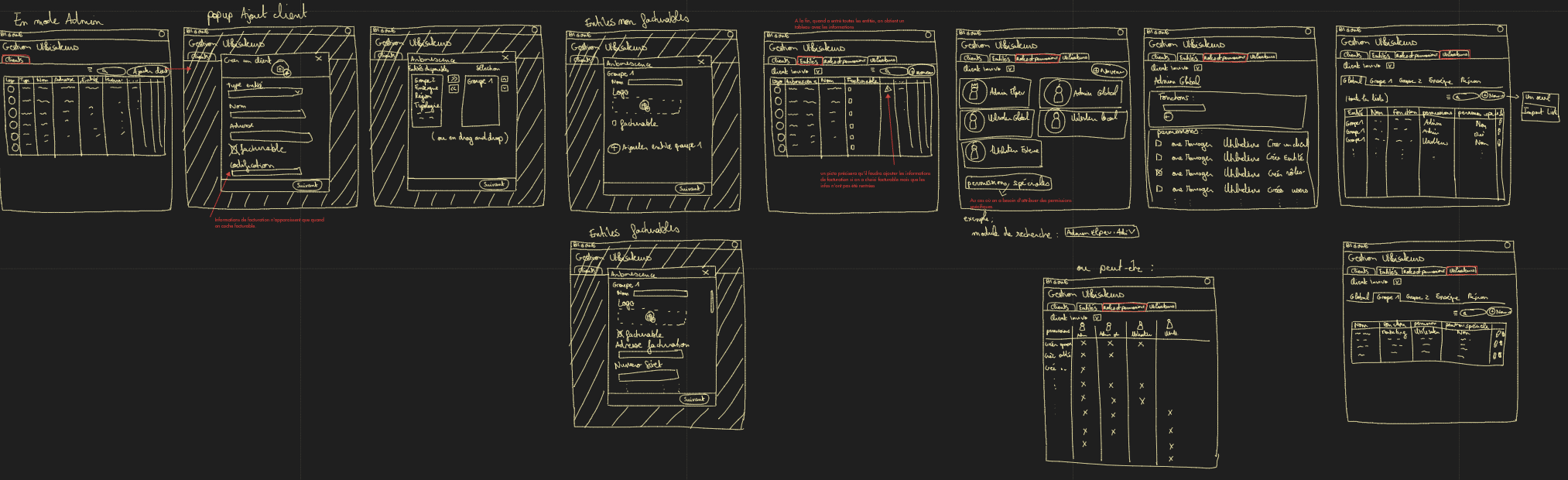
Paper wireframes

oriented on the basic structure of the homepage and highlight the intended function of each element

No frills, details, or colors here—just a representation of all the pages visible to the user. The idea is to iterate, present the concept to stakeholders, and collaboratively validate a final user flow.

Example of small paper wireframes that I created

Wireframes

More 'clear' version of wireframes in a digital form

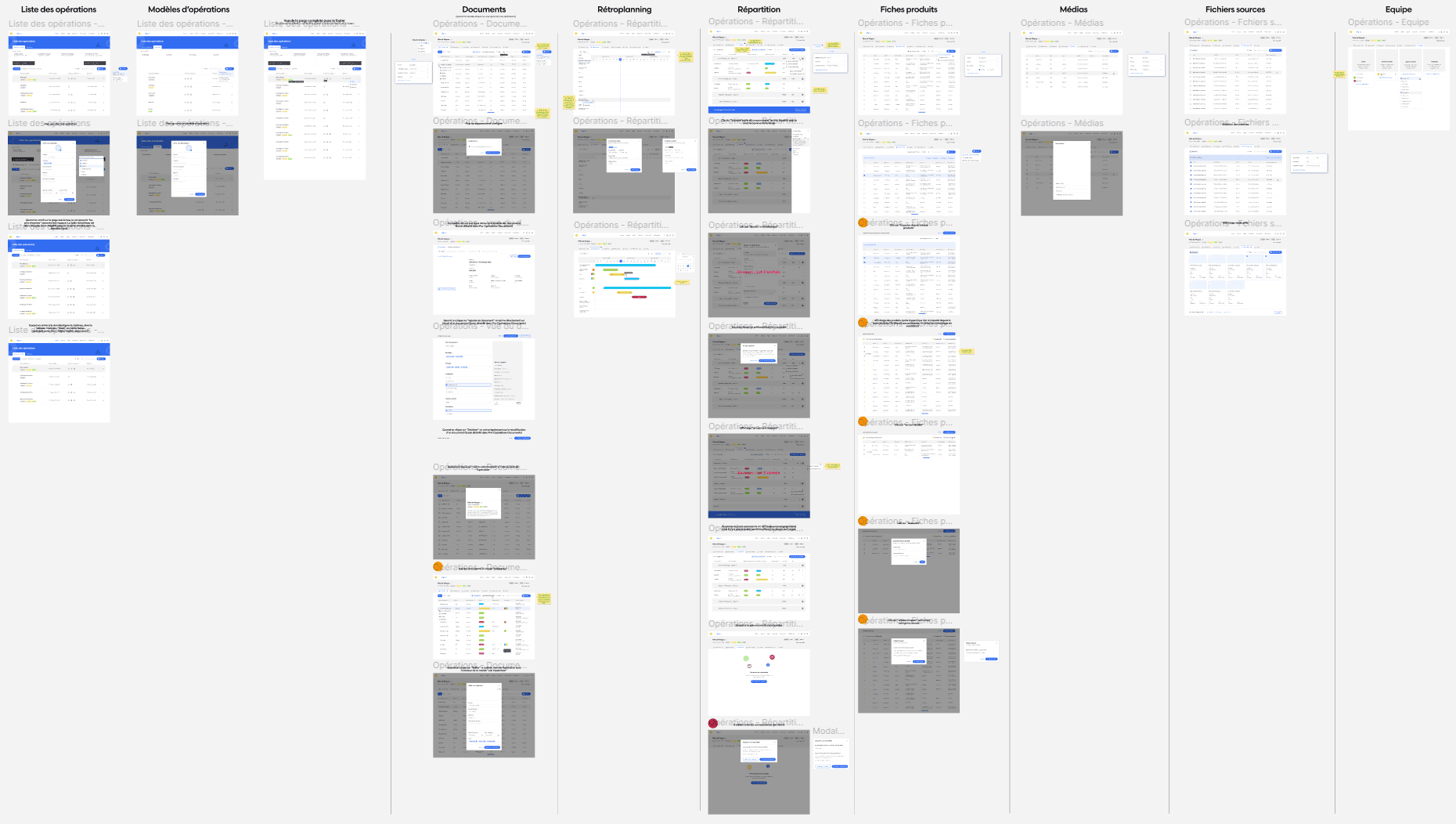
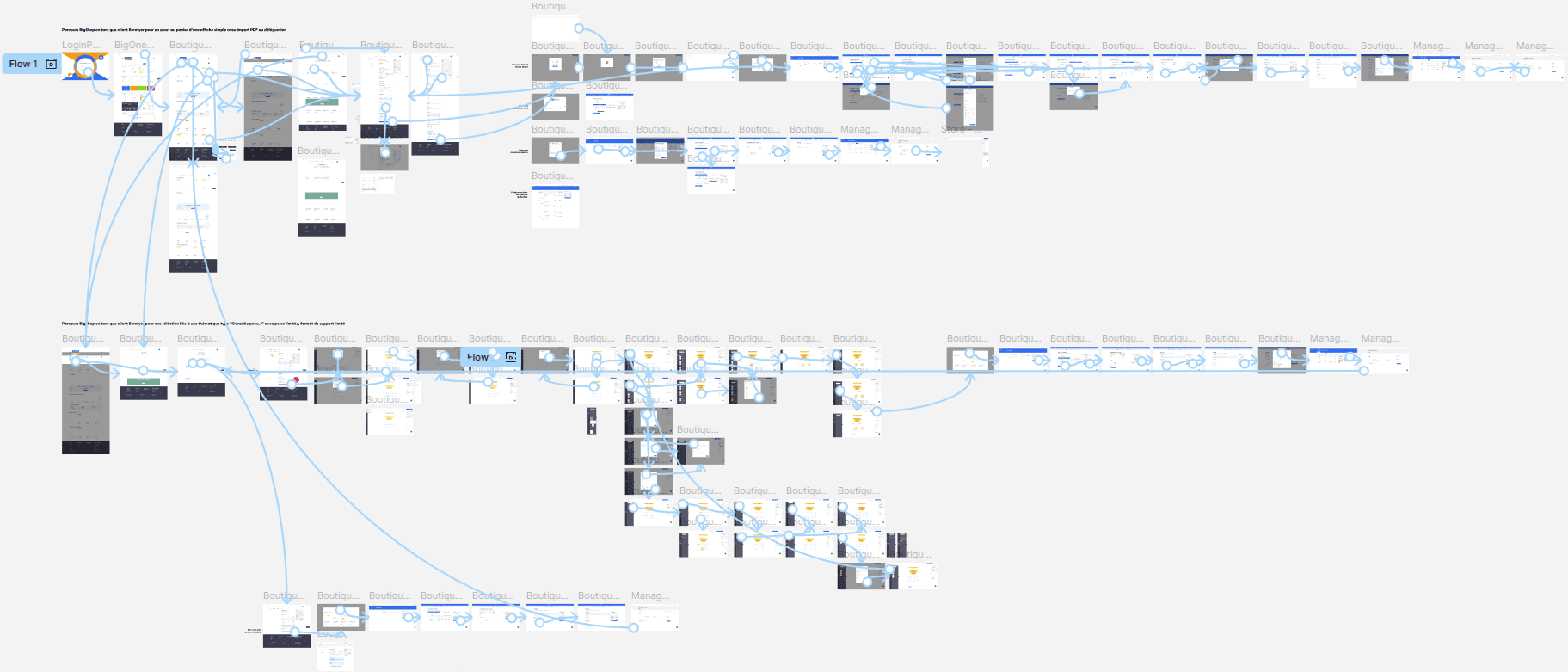
At this point, I utilized the Figma design tool to create digital wireframes for all the pages, then organized them into a clear and cohesive structure.
The goal is to show how all the pages and things interact with each other.

Example of wireframes that I created for user management

Moodboard

A moodboard is a board of trends or inspirations that helps you define the main aesthetic guidelines of a project. This highly effective brainstorming tool allows you to establish the atmosphere and influences you want to bring to your idea.

Final design

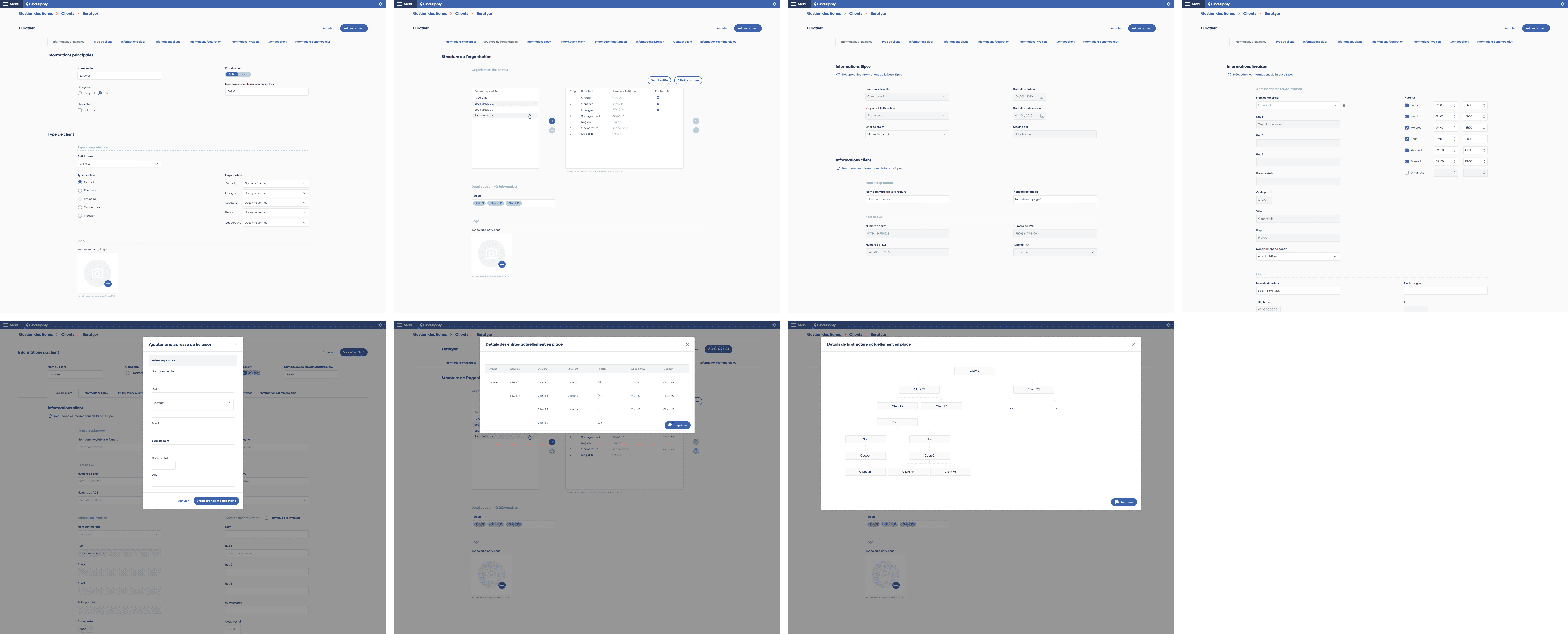
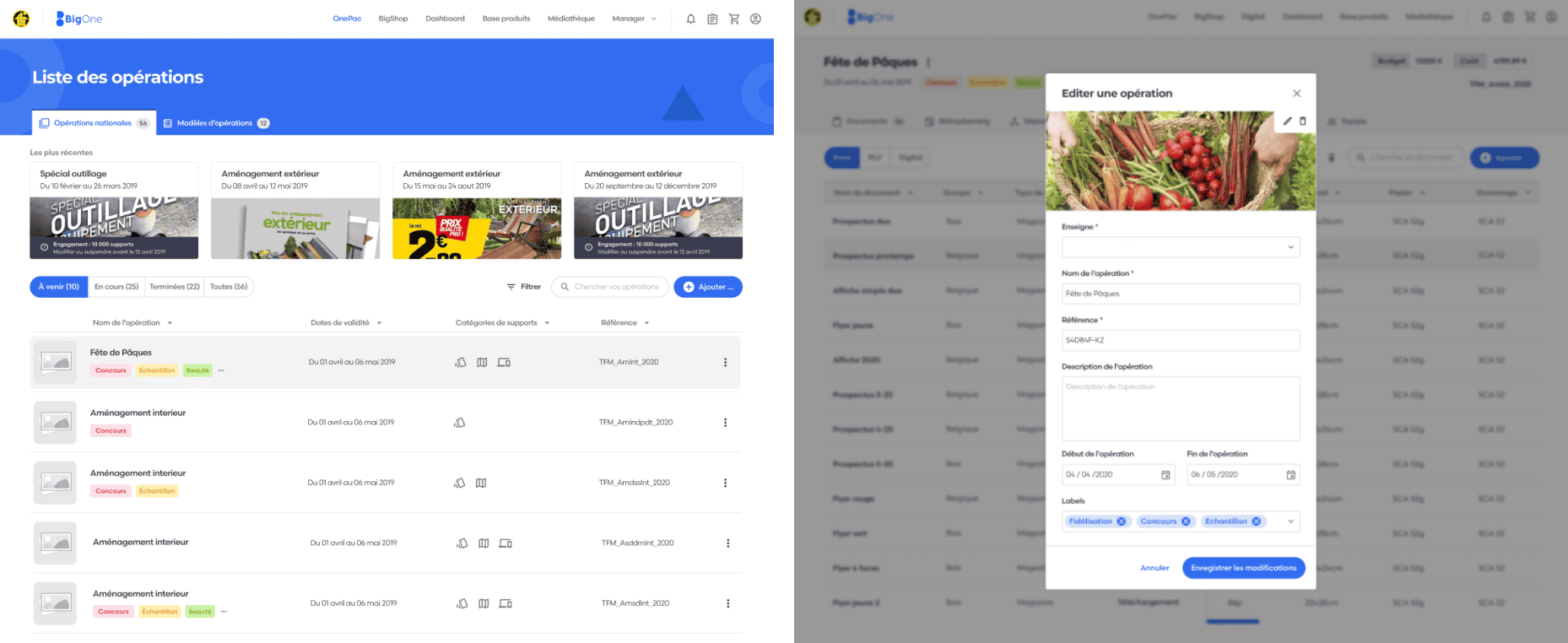
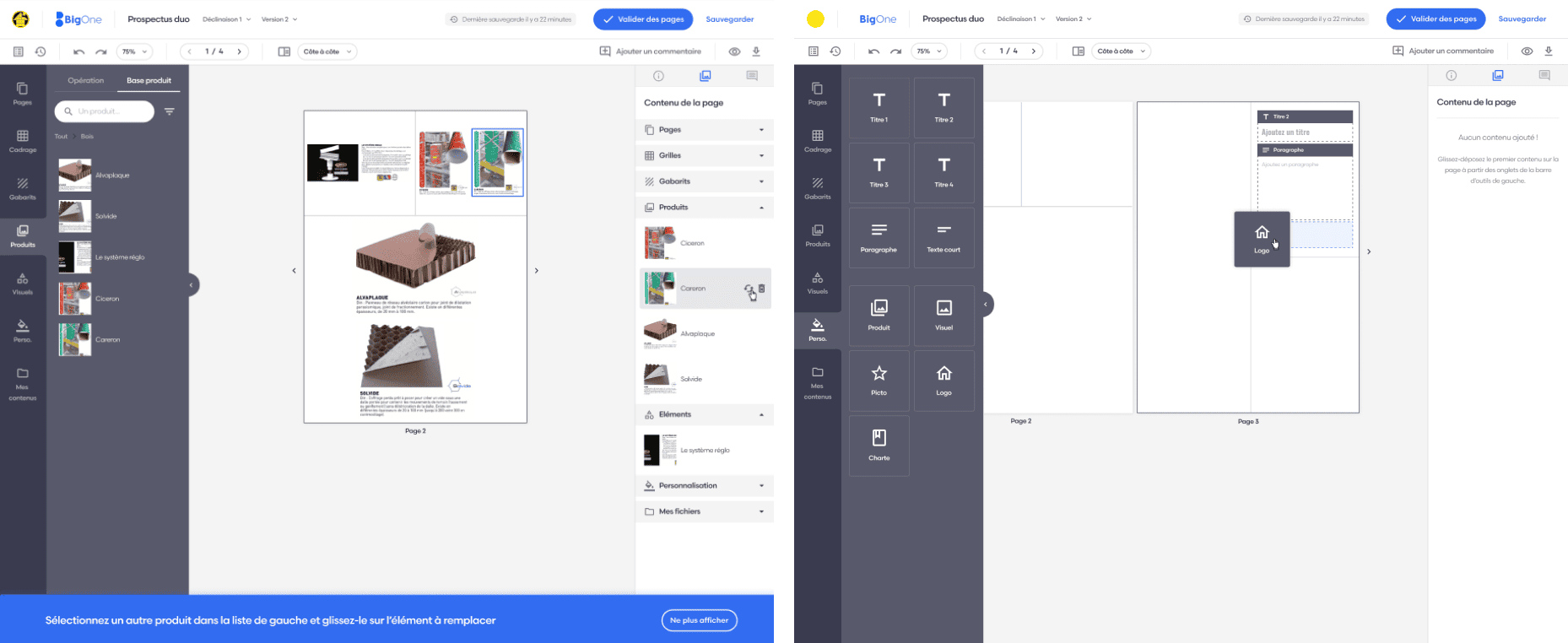
The final step, after validating the wireframes with stakeholders, is to create high-fidelity mockups that will serve as the foundation for the developers. This is a crucial stage where I maintain constant communication with them. Together, we establish the components and technical constraints for potential features or animations.
Within Figma, we leveraged the latest advancements such as a branching system, page versioning, and changelogs to enable business and development teams to closely track changes and updates.

Mockups

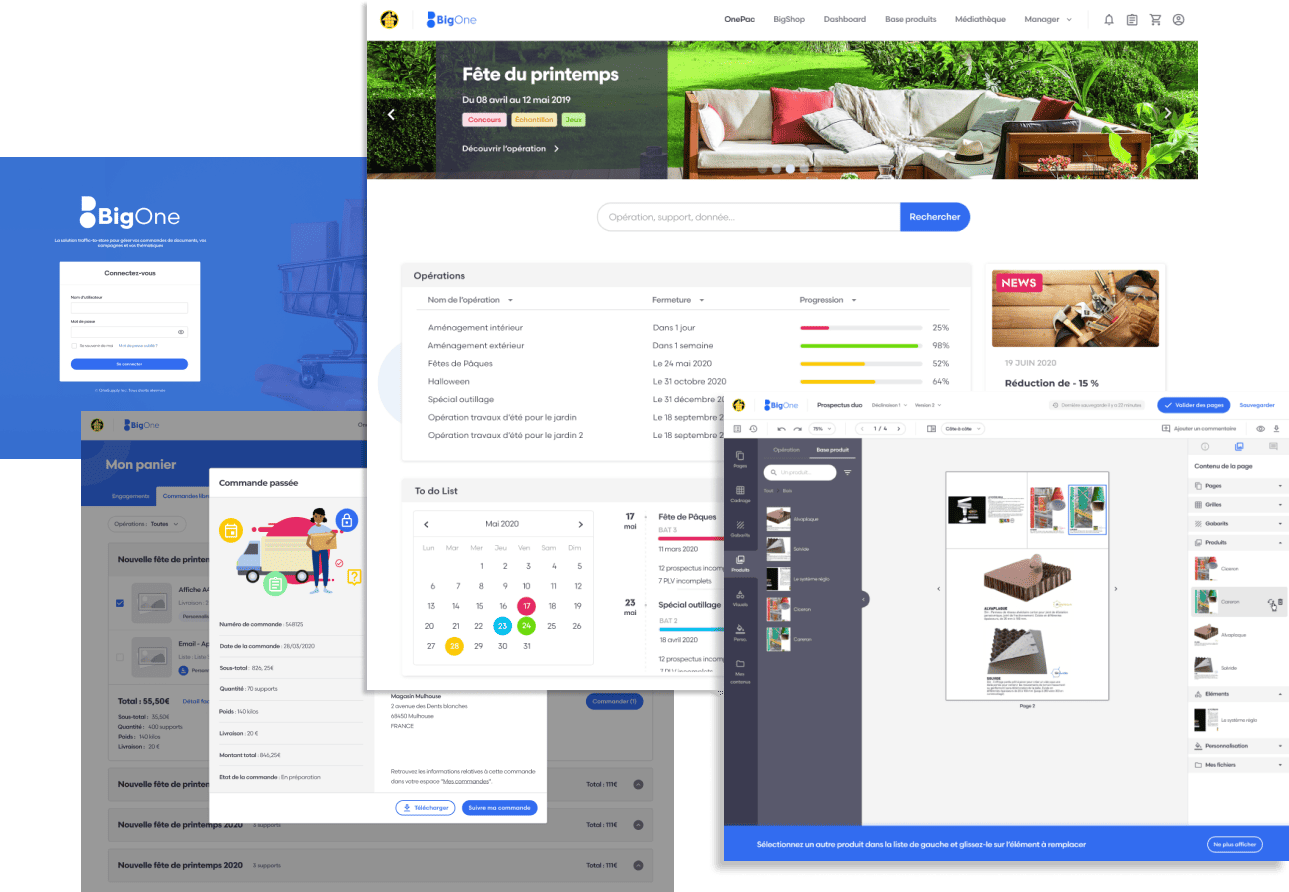
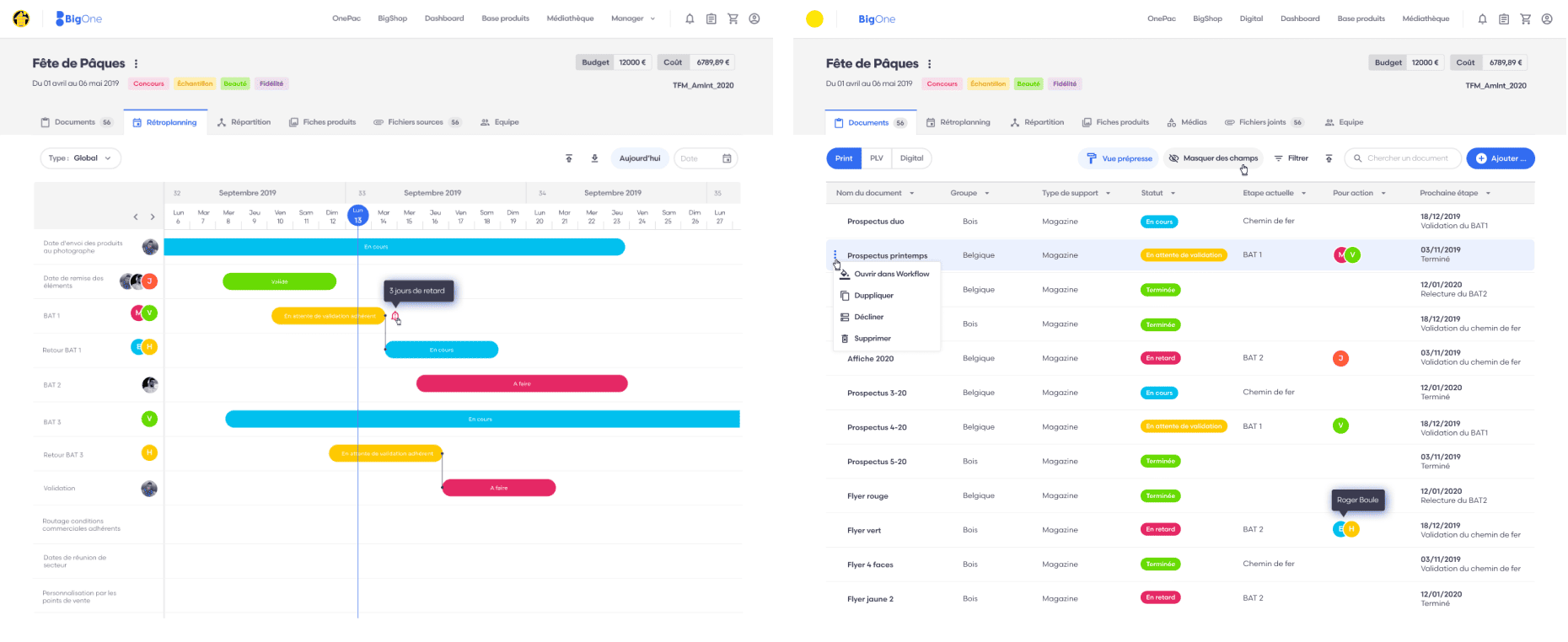
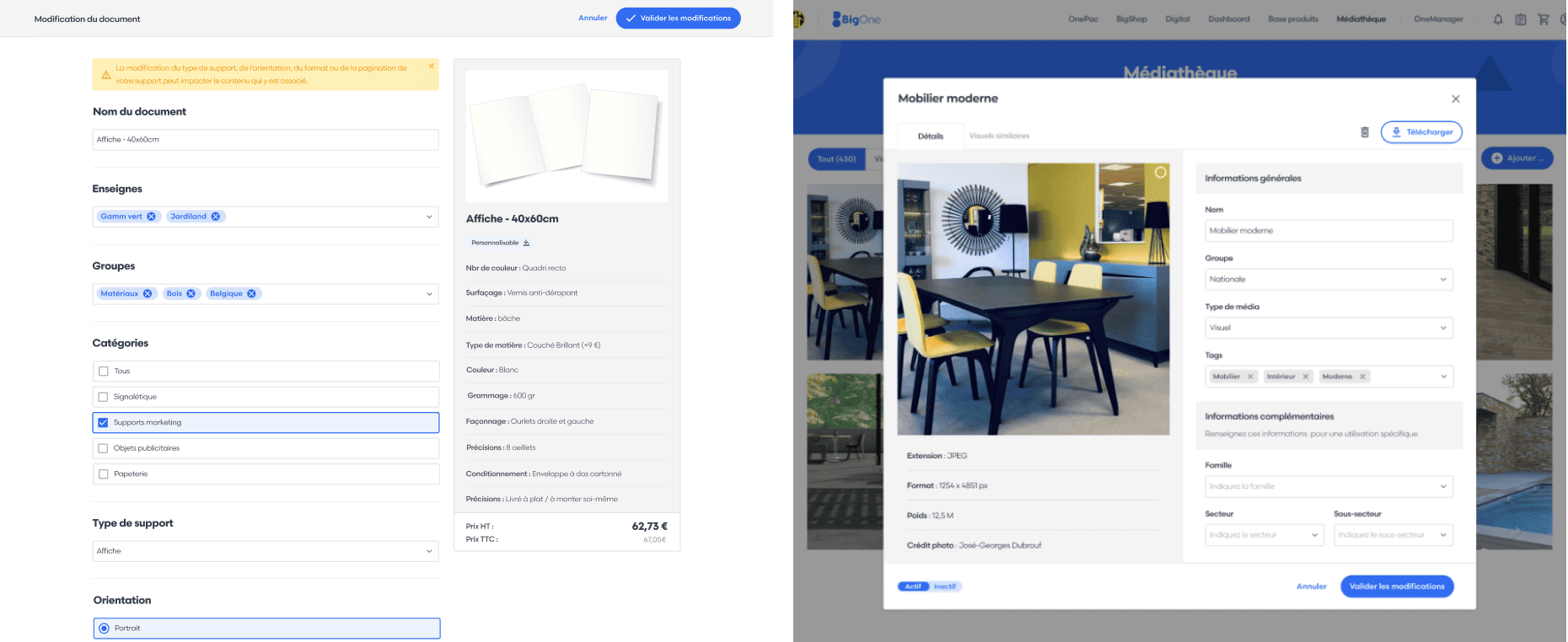
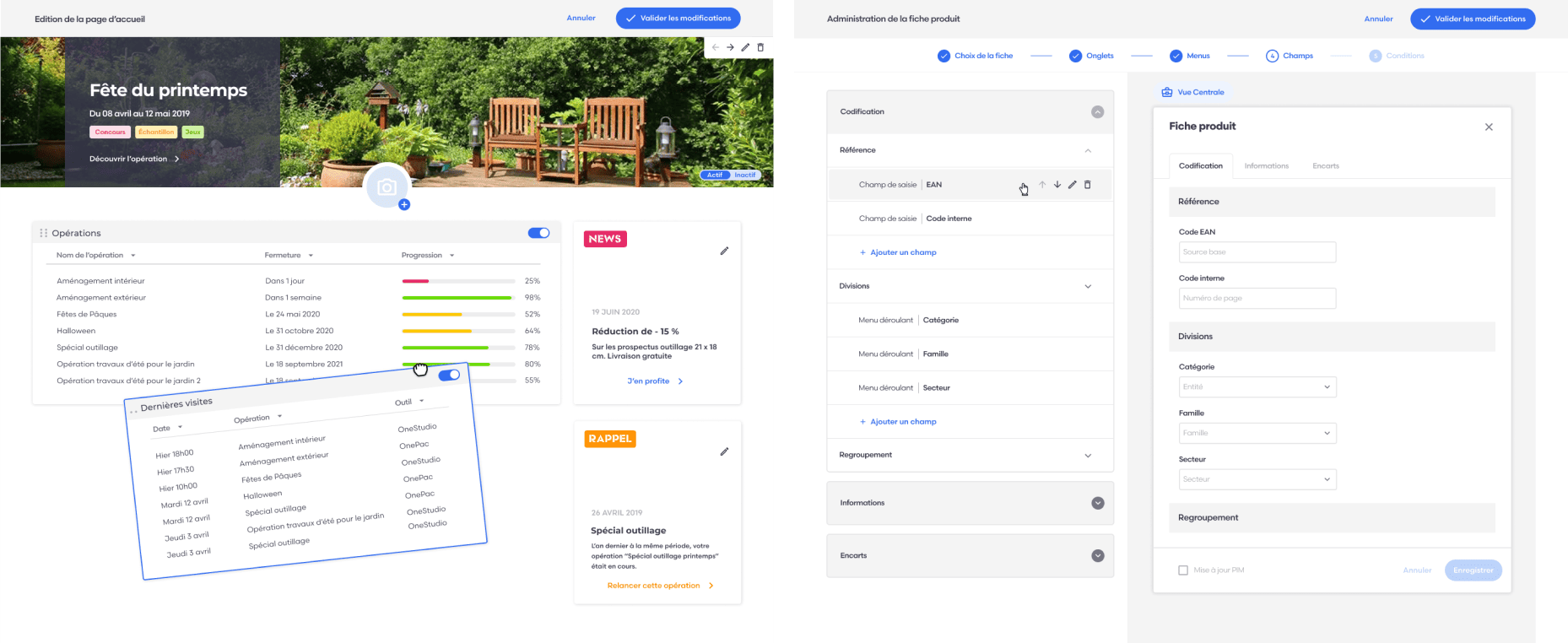
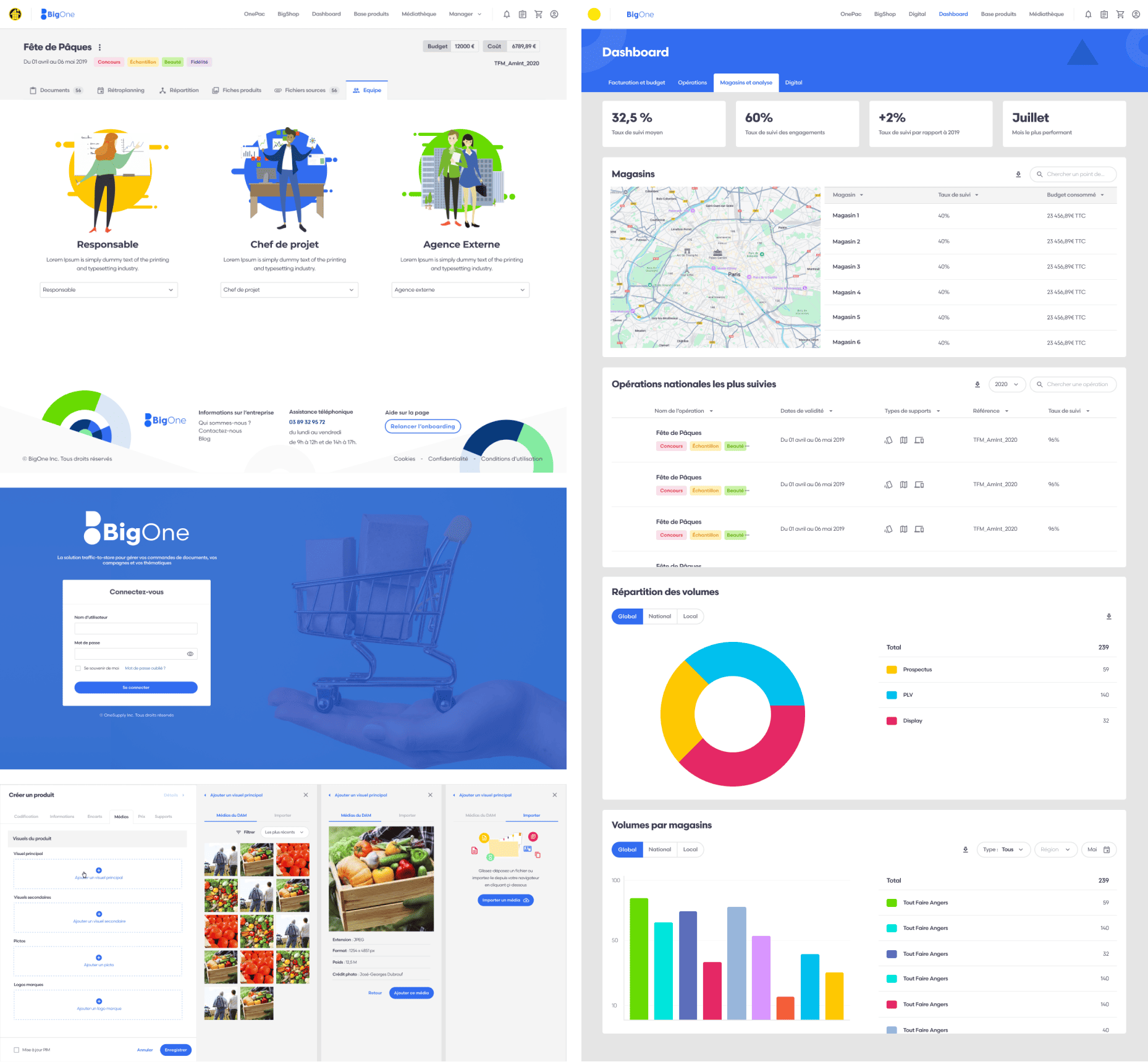
High-fidelity mockups

Random examples among hundreds of others...​

Visuals, logos...

I had the opportunity to create images, logos, CSS animations

Creation of vector visuals to assist the user in their actions and active participation in the development of certain CSS animations and motion design in order to improve the interactivity and fluidity of the application.

The logos of the different tools

small css animation with logo

Prototypes

Figma prototypes are interactive mockups that simulate the functionality of an application or website to test and validate user journeys

I transformed my mockups into a test-ready prototype, incorporating gestures and animations

Results

Looking back on my experience as a User Interface Designer at Elpev, I can confidently say that it was both a rewarding and enriching journey. It also marked my first dedicated role as a pure UX-UI designer. Prior to this, I held more versatile « jack-of-all-trades » positions that required me to combine development tasks with my design responsibilities. Here are some key highlights and outcomes from my role.

Impact

  • Developed an intuitive web application that significantly improved the management of marketing materials for major brands.
  • Implemented a design system that streamlined design practices across the company.
  • Reduced the time required to customize and manage communication materials through optimized interfaces.
  • Trained and mentored team members, contributing to the overall skill improvement of the design team.

Over the course of my experience, my role evolved significantly, transitioning from a purely UI-focused approach to integrating UX principles, which allowed me to become a strategic contributor to the development of the proposed solutions

What I learned

By leveraging my proactive approach, I not only contributed to improving the product’s efficiency but also enriched my skill set by exploring new aspects of UX-UI design. I was particularly involved in the development process, working closely with developers to integrate advanced interactive elements. This position offered me a unique opportunity to collaborate with multidisciplinary teams while enhancing my ability to manage complex projects and meet the demands of a dynamic work environment.

Retour en haut